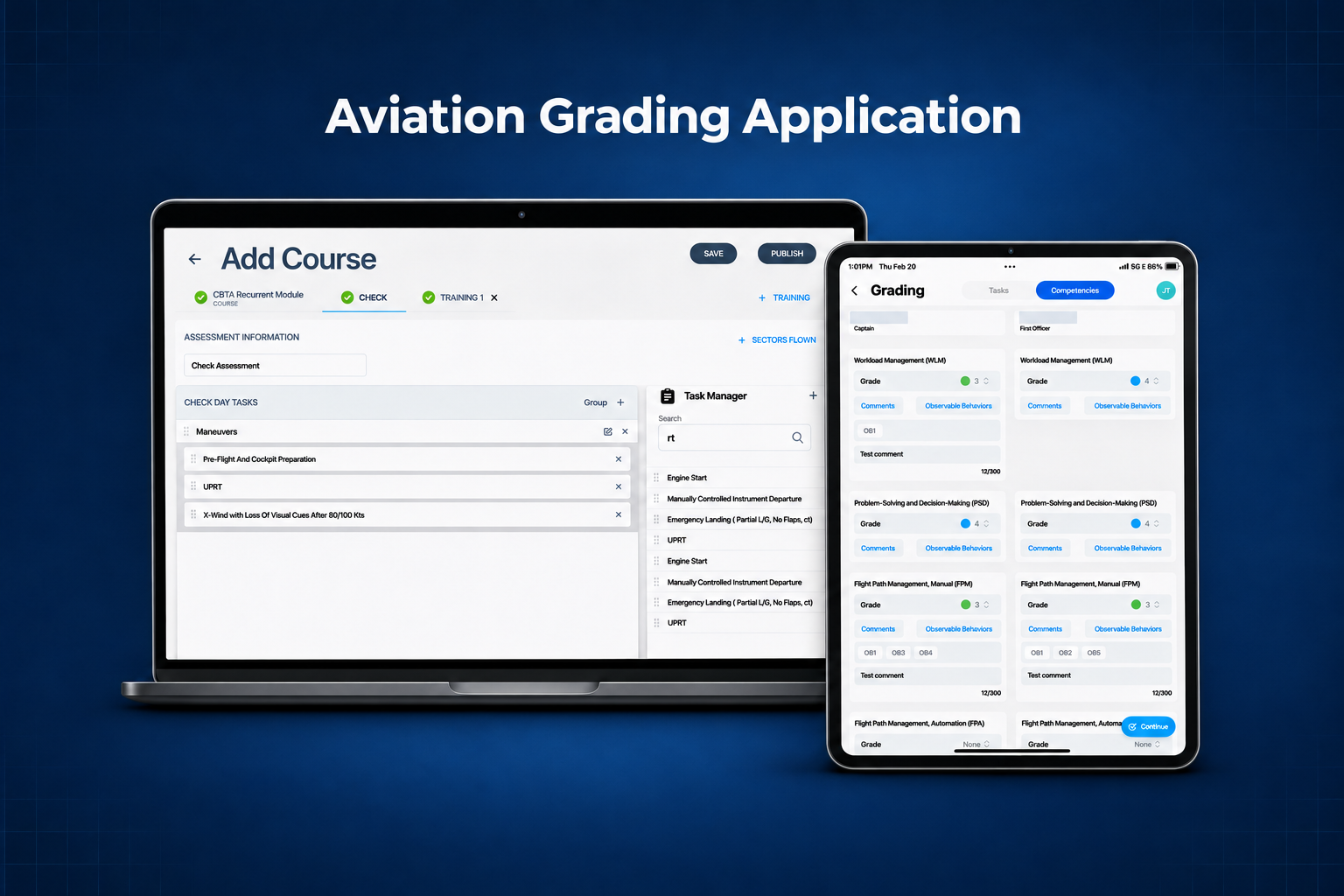
Configure
Build a recurrent course with Check and Training assessments and publish it.
Boeing Grading Application
A web and iPad workflow for configuring recurrent pilot assessments, grading two trainees in one session, and reviewing the submitted record.
Role and scope
I was the Senior Product Designer on the end-to-end grading experience across responsive web and native iPad. The project team included product management, engineering and QA, with instructor subject-matter experts among the stakeholder groups.
Build a recurrent course with Check and Training assessments and publish it.
Select a published course, a session and the trainees. Evaluators can schedule checks.
Record task grades, competencies and evidence, then award a final grade and sign off.
Open the submitted record from History and review the assessment report.
Pain points
The project focused on regional and developing airlines running competency-based training and assessment (CBTA) programs with paper grading or disconnected tools. The product brief identified inconsistent grading, manual application of rules, gaps in offline capability, and limited data for review or analysis.
The old two-pilot screen repeated grade, repeat, reason-code and comment controls for each trainee and task. That density made it worth examining how an instructor finds the next action.
Depending on the selected grade, instructors may need to capture comments or observable behaviors. Manual interpretation adds work and can produce uneven records.
Instructors need to continue grading and signing off even when the simulator environment loses its connection.
Airlines may use different task scales and course configurations. Training managers still need structured records that support review.
Legacy experience
The original iPad screens show how instructors found a session, assessed two trainees and signed off. Select any screen to enlarge it.
Design decision · Course setup
Training managers assemble task groups from a library. Publishing requires at least one Check and one Training assessment. Published courses are available to schedule on iPad.
Trade-off. Training managers take on more setup so the instructor can start with a configured assessment. The shared structure gives each airline room to define its own task groups.
Design decision · Grading and evidence
The updated flow retains side-by-side grading, gives task and competency work distinct views, and keeps observable behaviors and comments with the competency grade.
Trade-off. Grading rules guide required evidence and flag mismatches at submission. The instructor retains discretion over the final grade.
Design decision · Offline and review
Outcomes and KPIs
The guides document web course setup, iPad grading and offline submission, and web review. Production KPI baselines and results are unavailable in the supplied materials. These are proposed measures.
| KPI | Definition | Comparison |
|---|---|---|
| Active grading time ↓ | Median active minutes per completed assessment, from grading start to submission, excluding idle time. | Timed legacy vs. updated sessions, matched by assessment type and crew size. |
| First-pass evidence completeness ↑ | First submission attempts with all required grades, evidence and signatures ÷ all first attempts. | Review matched samples or use validation events where available. |
| Offline sync success ↑ | Queued offline submissions confirmed by the server within 15 minutes of reconnect ÷ queued submissions that reconnect. | Compare pilot cohorts by app version. The 15-minute window is a proposed threshold. |
| Course setup time ↓ | Median active minutes from course creation to publishing. | Timed comparisons using courses of similar complexity. |
Takeaway
Training managers define what gets assessed. Instructors capture grades and evidence in the session. Reviewers receive a record they can interpret after submission. Each step shapes what the next person can do.
Web course builder with Check and Training tabs and a task library

iPad grading view with competencies for two pilots side by side

Legacy Home with Today, Past Due and Upcoming areas

Legacy assessment details with sectors and assessed tasks

Legacy side-by-side grading screen with repeated grade and evidence controls

Legacy Reason Codes modal with observable behavior rows

Legacy completion step with a trainee selector and signature fields

Updated two-column task grading, with grade, comments and repeat controls

Updated final grading with both trainees and signature areas in two columns

Web History dashboard with assessment outcomes and report download controls

iPad Home showing a notice that the device is offline and changes will apply when it reconnects
